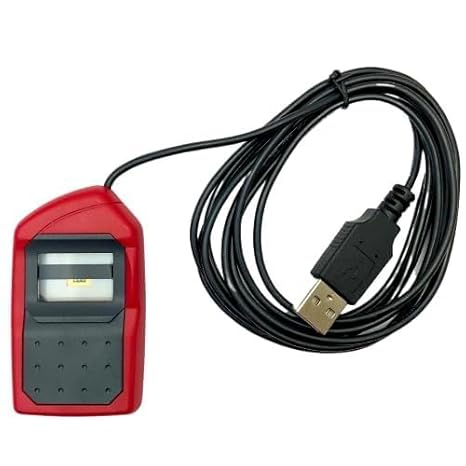
Morpho 1300 E3 L1 Biometric Device for CSC VLE
Rs. 6,499
 Flipkart
🔸Flipkart india.
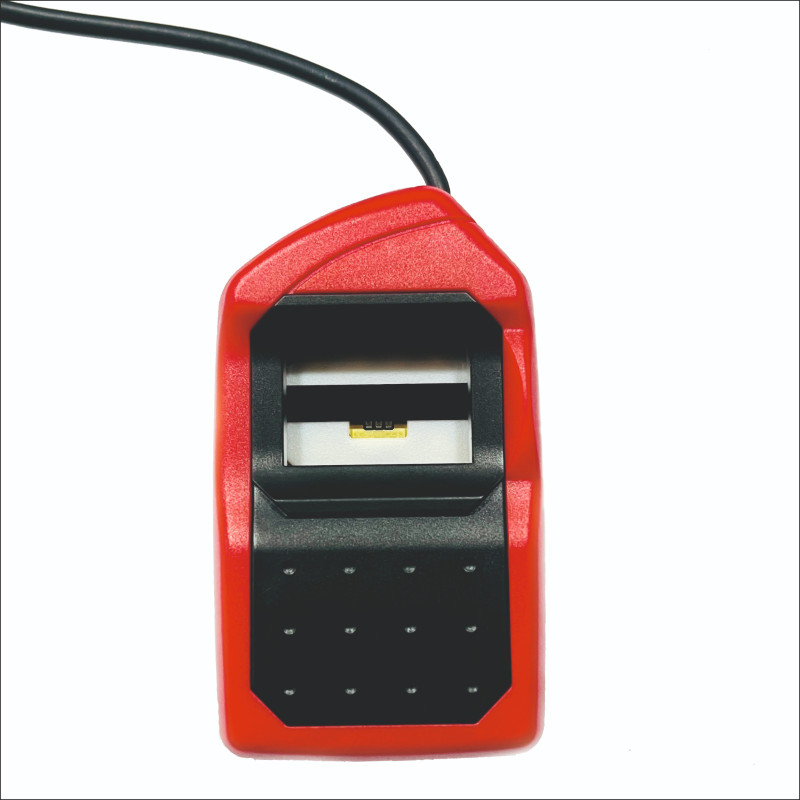
Morpho 1300 E3 L1 Biometric Device Price & Setup Guide for CSC VLE
If you are a CSC VLE (Village Level Entrepreneur) running a Digital Seva Kendra, upgrading to an STQC-certified L1 biometric device is now mandatory for all Aadhaar-based services. The Morpho 1300 E3 L1 Fingerprint Biometric Device is the most trusted and highly secure choice for VLEs across India.
Why CSC VLEs Must Switch to Morpho 1300 E3 L1 Device?
As per the latest government guidelines, older L0 biometric scanners are being permanently blocked due to security upgrades. To continue offering essential citizen services without any interruption, every CSC center requires the newer Morpho L1 RD Service technology.
Key Application & Compatibility List for VLEs:
- DigiPay & DigiPay Light: Secure cash withdrawals via AEPS and balance inquiry.
- Aadhaar UCL: Hassle-free demographic updates and child Aadhaar enrollment.
- Ayushman Bharat: Fast fingerprint verification for PM-JAY golden card generation.
- PMGDISHA: Seamless student biometric authentication during examinations.
Morpho 1300 E3 L1 Technical Specifications
This device works perfectly on the Windows Operating System and Android platforms. It features advanced optical scanning and hardware-based encryption to prevent identity spoofing, ensuring that every Aadhaar verification is safe and immediate.
Step-by-Step Morpho L1 RD Service Driver Installation Guide
If you are facing registration errors or device communication failures on your PC, follow these exact steps to set up your Morpho L1 device:
- First, go to the Control Panel and completely uninstall any older Morpho L0 drivers.
- Open your C: Drive and manually delete the old
MorphoRDServiceLOntfolders. - Download the official, latest Morpho L1 RD Service Driver for Windows.
- Right-click on the setup file, select “Run as Administrator”, and complete the installation.
- Restart your computer, plug your Morpho 1300 E3 L1 device into the USB port, and wait for the successful registration pop-up.
Pro SEO Recommendation for VLEs: If you are looking for other budget-friendly alternatives for your digital seva portal, you can also check out our detailed guides on the Mantra MFS110 L1 Device or the Startek L1 Fingerprint Biometric device to compare the best prices in India.